

CasinoChan Casino App
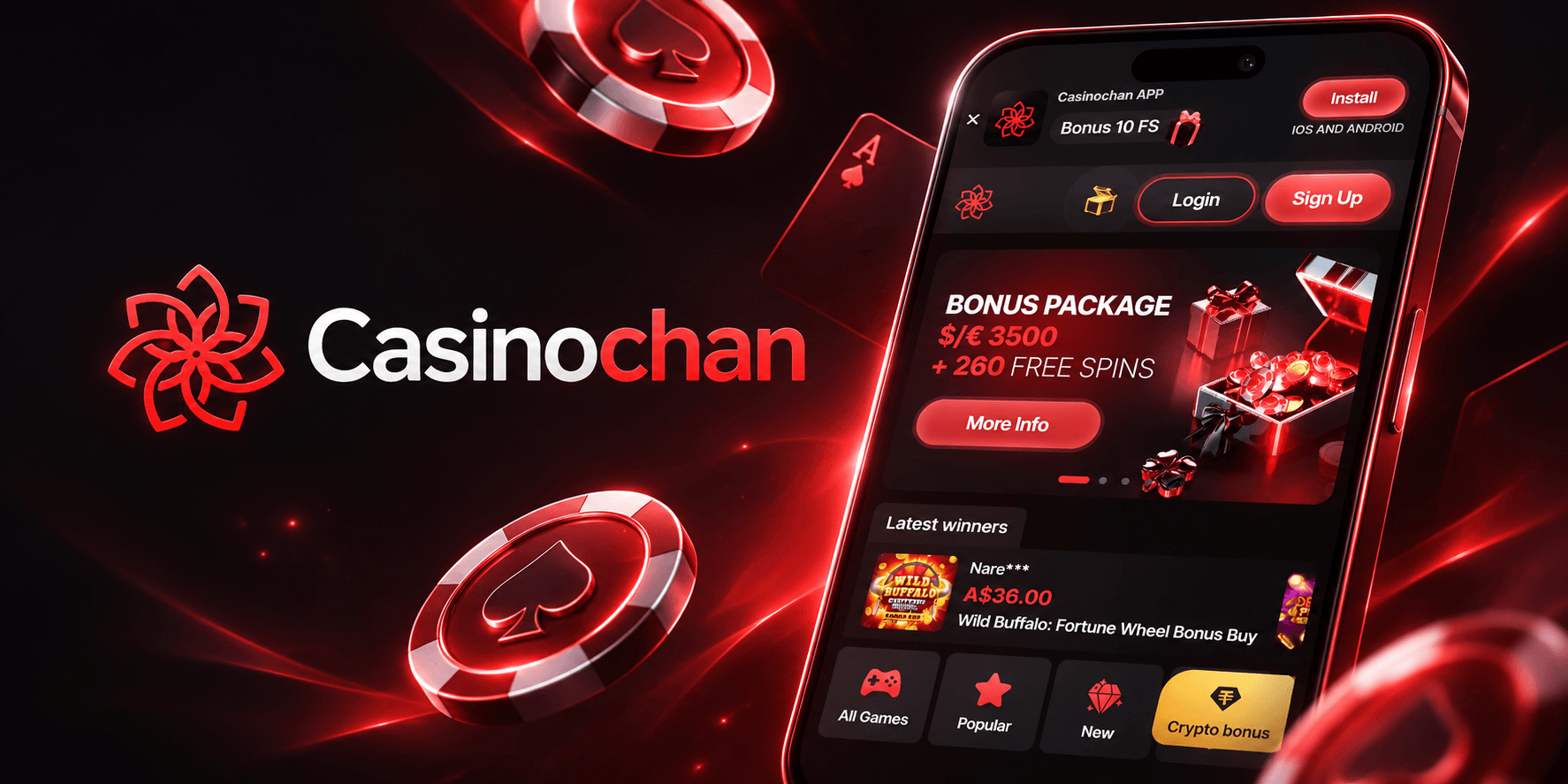

At CasinoChan, we know that modern players want their favourite pokies, table games and live dealers available wherever they are. That's why we've built a mobile experience that brings our full games library straight to your phone or tablet, without forcing you to hunt for a separate download from an app store. Here at CasinoChan Casino, we believe the smoothest path to the games you love is a browser-based progressive web app that installs in seconds and behaves just like a native application once it's on your home screen.
Whether you're chasing a jackpot on your lunch break or settling in for an evening at the live tables, our CasinoChan app keeps the entire casino in your pocket. Below we'll walk you through how to get it running on Android and iOS, what you can expect once you're logged in, and why so many of our players choose to play on mobile every day.
Licensing and Security
CasinoChan operates under a licence issued by the Curacao Gaming Authority, held by Kika Technology B.V. We take security seriously on every platform, and the mobile app is no exception. Your connection is encrypted the same way it is on desktop, and the same KYC and verification procedures apply regardless of which device you use to sign up or request a withdrawal. We never ask you to download software from outside our own domain, which keeps your account and your details protected from third-party risks.
How to Get the CasinoChan App on Your Device
We don't list CasinoChan Casino in Google Play or the Apple App Store. Instead, we offer an installable progressive web app (PWA) that you add directly from your browser. This approach lets us update the app instantly, without waiting on app-store approval, and it means you always have the latest version of Casino Chan at your fingertips.
For Android Users
- Open your mobile browser and go to casinochan.com
- Tap the menu icon in the top corner of your browser
- Select 'Add to Home Screen' or 'Install App'
- Confirm the installation when prompted
- Launch CasinoChan directly from your home screen icon, just like any other app
For iOS Users
- Visit our site through Safari on your iPhone or iPad
- Tap the Share icon at the bottom of the screen
- Choose 'Add to Home Screen'
- Name the icon and tap 'Add'
- Open the icon any time to jump straight back into Casino Chan
Once installed, the app behaves like any other icon on your phone, loading quickly and running smoothly even on older devices. There's no large file to download and no storage space to worry about, which is one of the reasons we went this route rather than building a native application.
Logging Into Your CasinoChan Account
Signing in through the app is identical to logging in on desktop. We've designed it this way so you never have to relearn your routine when switching between devices. Simply open the app, tap the login button, enter your email and password, and you're back in your account within seconds. If you've forgotten your details, the 'Forgot Password' link on the login screen will walk you through resetting everything in just a few taps. New players can complete the full CasinoChan sign up process directly from the app in just a couple of minutes.
Why Our Players Love the Mobile Experience
We've optimised every corner of CasinoChan for smaller screens, so navigating our 2,400+ games feels just as natural on a phone as it does on a desktop monitor. Here's what you'll find once you're inside:
- Over 2,000 pokies and slot titles, including Megaways and bonus-buy games, all reformatted for touchscreens
- A live casino section with 100+ blackjack tables, 19 roulette tables and 15 baccarat tables streamed in real time
- Quick-access filters for Popular, New, Jackpot and Bingo games so you can find what you want without endless scrolling
- Fast, secure deposits through Visa, Mastercard, Skrill, Neteller and a full range of cryptocurrencies
- Full access to your VIP status, CasinoChan Points balance and loyalty rewards from within the app
Our interface loads quickly even on slower mobile data connections, and because it's browser-based, there are no forced updates that interrupt your session. Everything you can do on the desktop site, from spinning the reels to chatting with support, you can do through Casino Chan on mobile.
Payments and Withdrawal Times On the Go
Managing your banking through the app is just as straightforward as it is on a computer. All our deposit methods remain instant and free, and withdrawal processing times stay consistent across devices.
| Method | Deposit Speed | Withdrawal Speed |
|---|---|---|
| Visa / Mastercard | Instant | 1 to 3 banking days |
| Skrill / Neteller | Instant | Instant |
| Crypto (BTC, ETH, LTC, etc.) | Instant | Instant |
| Interac e-Transfer | Instant | 1 to 3 banking days |
| Bank Transfer | Instant | 1 to 5 banking days |
Daily withdrawal limits sit at EUR 4,000 (or the equivalent in AUD, CAD or USD), with weekly and monthly caps applying on top. We've kept these the same across mobile and desktop so there's no confusion about what you can cash out and when, no matter which screen you're using.
Claiming Your Welcome Offer and Free Spins on Mobile
New players who sign up through the app can still claim our full welcome package, which runs up to EUR 3,500 plus 260 free spins across your first four deposits. The free spins and bonus codes work exactly the same on mobile as they do on desktop, so you won't miss out on any promotion simply because you're playing on your phone. We also run a Monday Reload Bonus and a Thursday free spins drop that credit automatically, making it easy to keep your balance topped up without leaving the app. For full details on current offers, check out our CasinoChan bonus guide.
Our Customer Support Through the App
We offer round-the-clock assistance so you're never stuck mid-session if something isn't working the way you expect.
- Live Chat: available 24/7, accessible directly from the app menu
- Email: [email protected]
- FAQ Section: built into the app for quick answers on bonuses, payments and account questions
- Languages: support available in English, French, German and Italian

Final Thoughts
We built the CasinoChan app to give you the full casino experience without the hassle of an app-store download. From instant deposits to a complete live dealer suite, everything that makes Casino Chan worth playing on desktop is just as strong on mobile. Add the icon to your home screen, log in, and you'll see why so many of our players never bother switching back to a browser tab once they've tried it on their phone.
FAQ
Do you have a native app in the App Store or Google Play?
We don't list a native app in either store. Instead, we offer an installable progressive web app that you add directly from your mobile browser, giving you the same experience without the download.
Is the CasinoChan app free to install?
Yes, installing our app costs nothing and takes just a few taps through your browser's 'Add to Home Screen' option.
Can I claim the welcome bonus through the app?
Absolutely. We apply the same bonus codes and terms whether you register through the app or on desktop, so you won't miss out on any part of our welcome package.
Will my withdrawal times change if I use the app?
No, we process withdrawals the same way regardless of device. Instant methods like crypto and e-wallets remain instant, and bank-based methods follow the same 1 to 5 banking day windows.
Is CasinoChan legit and safe to use on mobile?
Yes, we operate under a Curacao Gaming Authority licence, and our mobile platform uses the same encryption and verification standards as our desktop site.
What devices are compatible with the app?
Our app runs smoothly on most modern Android and iOS devices through Chrome, Safari and other major mobile browsers.